
Have you ever looked at the clock after working on your computer and realized you’ve been staring at the screen for six hours straight? This happens to me all the time, especially after COVID. Before, our screen time was limited, but nowadays, due to the digitalization of all study materials, as academicians, we need to learn these skills.
You’re not alone if you are using a screen a lot without calculating it before.
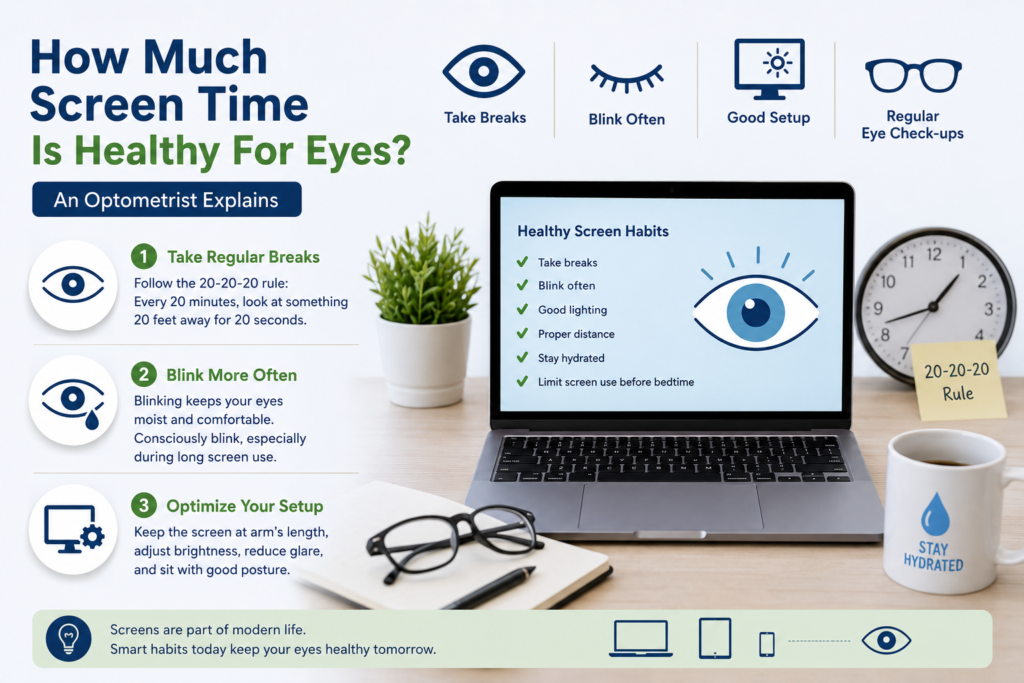
We can’t avoid screens anymore—whether we’re working from home, joining online classes, binging our favorite series, or scrolling through social media. As an assistant professor of optometry, the most frequent question I am asked is, of course, the following: What is a healthy amount of screen time for your eyes? which is also my personal research study.
The truth is, there is no magical number of hours that is absolutely safe or dangerous. How you use screens, how often you take breaks, and how well you care for your eyes are all important to your eye health.
Think of your eyes as your legs on a long journey. Hours and hours of walking is not necessarily bad, especially if you take breaks, drink water, and wear comfortable shoes. But walking nonstop without breaks will leave your muscles tired and sore. Your eyes work in much the same way.
Let’s explore what healthy screen time really means and, more importantly, how you can enjoy technology without making your eyes miserable.
Is There a Safe Number of Screen Hours?
Most people want a simple answer like “2 hours” or “4 hours.” Here, if your smartphone allows it, you can check your average screen time in the settings, but remember this only applies to your smartphone, not all digital devices, so you need to figure that out as well.
But it’s not that straightforward when it comes to eye health.
To date, there is no recommended daily screen time for adults that will guarantee healthy eyes. Instead, experts are looking at reducing continuous screen time, not total hours.
For instance, an office worker might sit at a computer for 8 hours but take frequent breaks and have little discomfort.
- Another person may develop headaches after only two hours because they rarely blink, sit too close to the screen, or work in poor lighting.
This is why optometrists pay more attention to screen habits than screen duration.
That said, excessive recreational screen use has been linked to digital eye strain, dry eyes, headaches, reduced blinking, poor sleep quality, and—in children—increased risk of myopia progression. The goal isn’t to eliminate screens.
The goal is to use them wisely.
Tip 1: Provide Your Eyes Regular Breaks
I said it to my class as well: Imagine holding a heavy grocery bag with your arm stretched out.
You can manage it for a few minutes.
But three hours straight would get pretty painful pretty fast.
Your eye muscles do the same thing. When focusing on a nearby screen, the tiny muscles inside your eyes remain constantly engaged.
If they don’t take breaks regularly, they get tired, and they may give you signals of fatigue.
Follow the 20-20-20 rule
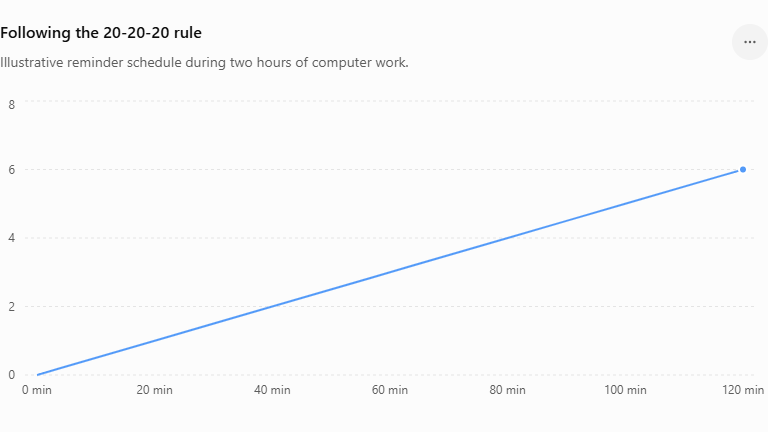
As an optometrist, I gave this prescription to those who want to reduce screen time, and for this, one of the easiest and most effective techniques is the 20-20-20 rule.
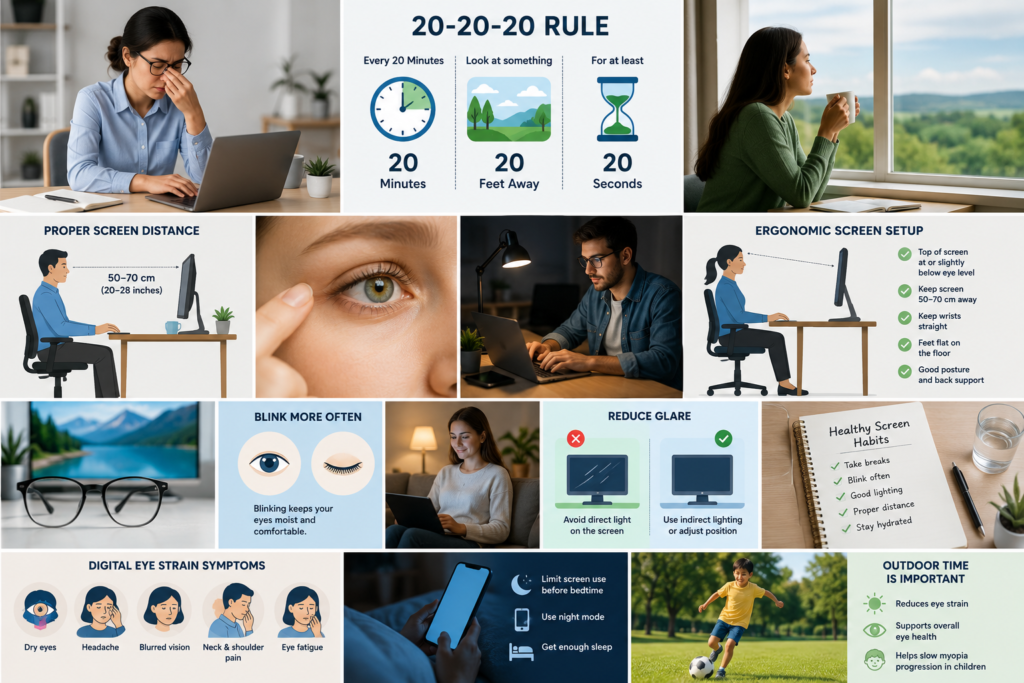
Every 20 minutes, look at something 20 feet away for 20 seconds.
This short break lets your focusing muscles relax before you begin working again.
Imagine it as a good stretch for your eyes during a long workout.
You don’t need to stop working at all.
Just look out a window. Look down a hallway. Look at a faraway object.
These small breaks can make a big difference to eye strain over the day.
Bonus Tip
If you tend to forget, set a timer or use reminder apps that prompt you to take visual breaks automatically.
Tip 2: Blink More Than You Think You Need To
Most people never think about blinking.
Until their eyes start burning.
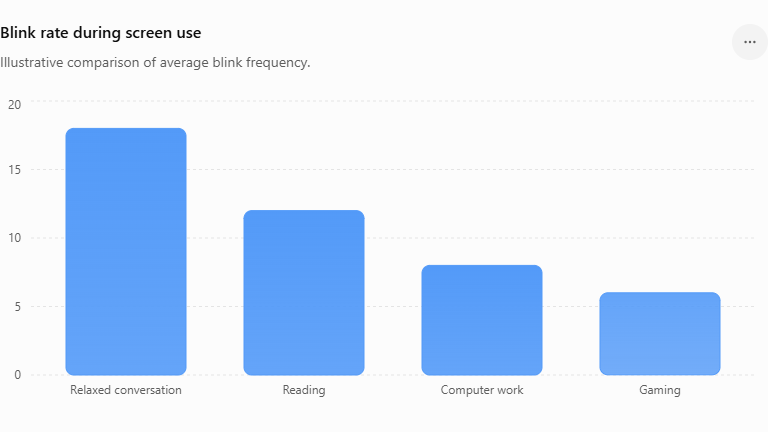
Normally, we blink around 15–20 times every minute.
During intense screen use, this number can drop by nearly half.
Imagine the windshield of a car.
Where there are no windshield wipers, dust gets everywhere, and it’s hard to see clearly.
The same goes for blinking.
With every blink, you spread a new layer of tears over the surface of the eye, which keeps it smooth, comfortable, and well lubricated.
When blinking slows: Dry eyes.
- Vision is temporarily blurred.
- The burning sensations intensified.
- Contact lenses get uncomfortable.
Make it a habit to blink consciously. Every few minutes close your eyes all the way softly and open them again.
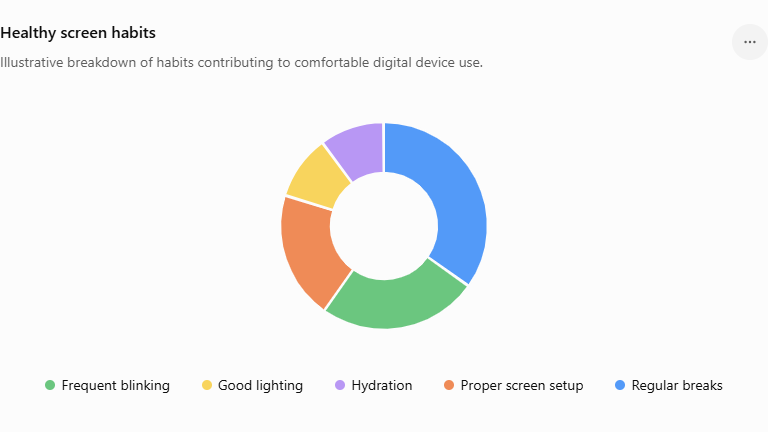
Full blinks are so much better than partial blinks.
If you work in a place with air conditioning or fans blowing in your face, try sitting differently. Moving air helps tears evaporate faster.
If dryness continues, talk to your eye care professional about whether lubricating eye drops are right for you.
Tip 3: Set Up Your Screen Correctly Sometimes it’s not your eyes.
Your desk is clean.
Think about driving a car with the seat positioned too close to the steering wheel.
Even a short drive would become uncomfortable.
Similarly, poor screen ergonomics force your eyes to work harder than necessary.
Position Matters
For comfortable viewing:
- Keep the screen approximately 50–70 cm (20–28 inches) from your eyes.
- The top of the monitor should be at or just below eye level.
- Lean back, not forward. Make the text bigger.
- Reduce glare from overhead lights or windows.
- Adjust screen brightness so it matches your surroundings.
Reading tiny text on a bright screen in a dark room is like trying to read a book using a flashlight pointed directly into your eyes.
Small changes in your setup often make a surprisingly large difference.
Please remember room lighting.
Avoid working in complete darkness.
A softly lit room reduces the contrast between the screen and its surroundings, making viewing much more comfortable.
Does Blue Light Really Damage Your Eyes?
This is probably the question I receive most often.
There is no scientific evidence that normal exposure to blue light from digital devices causes permanent damage to the eyes. Still, scientists are researching this topic.
However, late evening use of screens can disrupt your body’s natural sleep cycle, as blue light can inhibit the production of melatonin.
If you work nights regularly, think about: Reduce the brightness of your screen.
- You might also want to try your device’s night mode or warm color setting.
- If you can, avoid screen time for an hour or two before bedtime.
Blue-light-filtering glasses may make some people feel better, but studies have not consistently shown that they reduce digital eye strain for everyone.
What About Children?
I have a 6-year-old child; I can understand parents’ concerns. Children deserve special attention because their eyes are still developing.
Outdoor play appears to have a protective effect against the development and progression of myopia (short-sightedness). During developmental age, children tend to develop myopia due to strong accommodation.
Parents should be encouraging frequent outdoor activities.
- Regular breaks during homework.
- Limited recreational screen use.
- Viewing distances suitable for age.
- Test eyes completely.
Remember, the goal is not to cut down on screen time but to find a balance between screen use and healthy visual habits.
When to visit an optometrist?
Sometimes tired eyes are a normal thing after a long day.
But don’t dismiss persistent symptoms.
If you experience: Make an eye examination appointment: Headache, frequent blurred vision Seeing Double: Chronic dry eyes Eye ache Trouble focusing, neck, or shoulder pain related to the use of screens Sometimes these symptoms can be caused by an uncorrected glasses prescription, binocular vision problems, dry eye disease, or other eye conditions that require professional assessment.
Final Thoughts
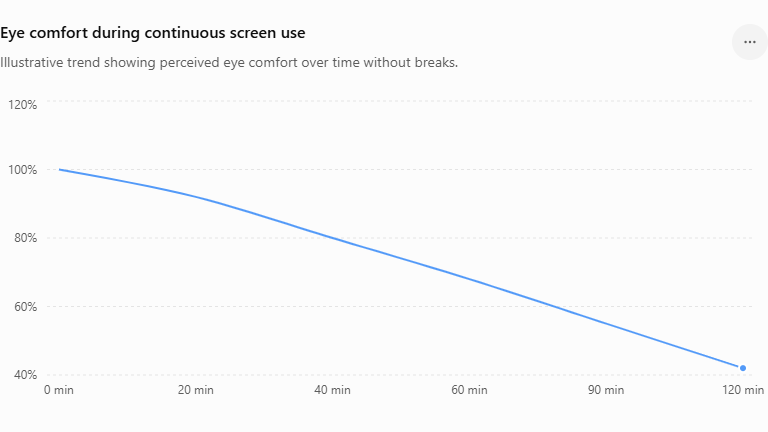
So, how much screen time is healthy for eyes?
The answer isn’t measured by a stopwatch.
Healthy screen use is determined by your habits.
Take regular breaks.
Blink often.
Arrange your work station properly.
Maintain good lighting.
Have your eyes examined regularly.
Technology is not the enemy In fact, screens help us learn, work, communicate, and stay connected. The key is to use them in a way that respects the amazing organs that make all of those activities possible.
Your eyes work tirelessly every day.
Provide them the same care and attention that you would give any hardworking part of your body.
A few simple habits today can help keep your vision comfortable for years to come.
How much screen time is good for eyes?
Adults may consume any amount daily. It’s not just about counting hours; it’s about taking regular breaks, blinking often, keeping your screen at the right Adults may consume any amount daily. It’s not just about counting hours; it’s about taking regular breaks, blinking often, keeping your screen at the right distance, and healthy viewing habits that count. Height distance and healthy viewing habits that count.
Is there permanent damage to eyesight from too much screen time?
While current evidence suggests that screen use does not permanently damage the eyes, if healthy habits are ignored, prolonged screen time can lead to digital eye strain, dry eyes, headaches and blurred vision.
Does the 20-20-20 rule really work?
Yes. The 20-20-20 rule is one of the most recommended strategies by eye care professionals, as it helps to relax the focusing muscles of the eye and alleviate the symptoms of digital eye strain.
Do I need to wear blue-light glasses?
Some do find relief from blue light glasses, but the scientific evidence is not yet there to support their ability to lower digital eye strain. Good screen habits are still more important.
How often should I have my eyes checked?
Adults should have regular comprehensive eye exams at a frequency recommended by their optometrist. Those with vision problems, diabetes, or high digital device use may need more frequent assessments.
References
- American Academy of Ophthalmology. Computer Use and Digital Eye Strain.
- American Optometric Association. Computer Vision Syndrome (Digital Eye Strain).
- Sheppard AL, Wolffsohn JS. Digital eye strain: prevalence, measurement, and amelioration. BMJ Open Ophthalmology. 2018;3:e000146.
- Rosenfield M. Computer vision syndrome: a review of ocular causes and potential treatments. Ophthalmic and Physiological Optics. 2016;36(5):502–515.
- World Health Organization. Guidelines on Physical Activity, Sedentary Behavior, and Sleep for Children Under 5 Years of Age.
- American Academy of Pediatrics. Media Use Guidelines for Children and Adolescents.